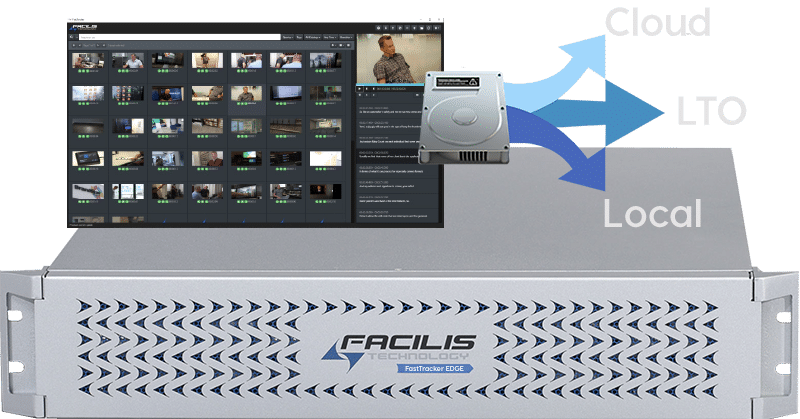
Simple Media Asset Management and Workflow Automation

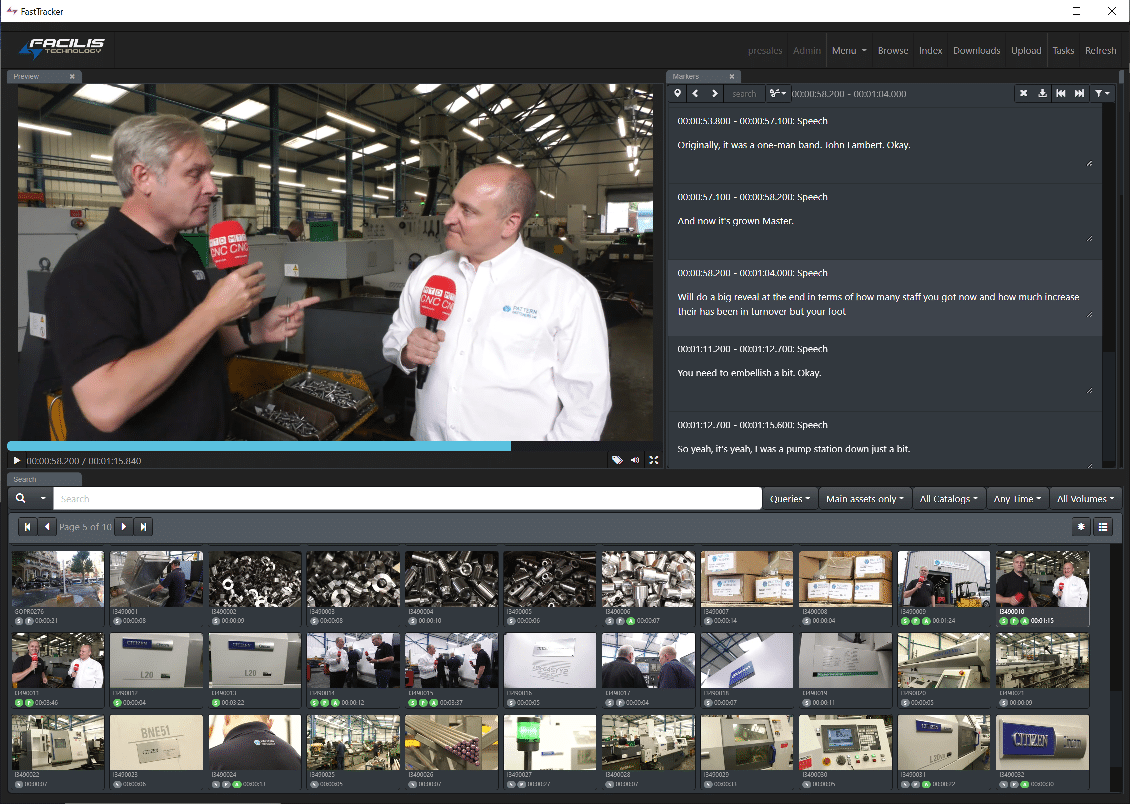
Facilis FastTracker 3.8.3
Even small facilities can have hundreds of terabytes of files across multiple hard drives, network locations, and tier 1 shared storage. Managing the access and location of these files can be a challenge, wasting time that should be used for production. FastTracker is a media asset management system that is designed to be a fast way to index, catalog and find your video, audio, and still image files across Facilis volumes, network drives, and local storage.
Version 3.8 introduces many new features, including metadata-based filters for catalog assignment, data movement, analysis and proxy generation.
FastTracker 3.8.4 Quick Start Demonstration
FastTracker Client AI Tag Display

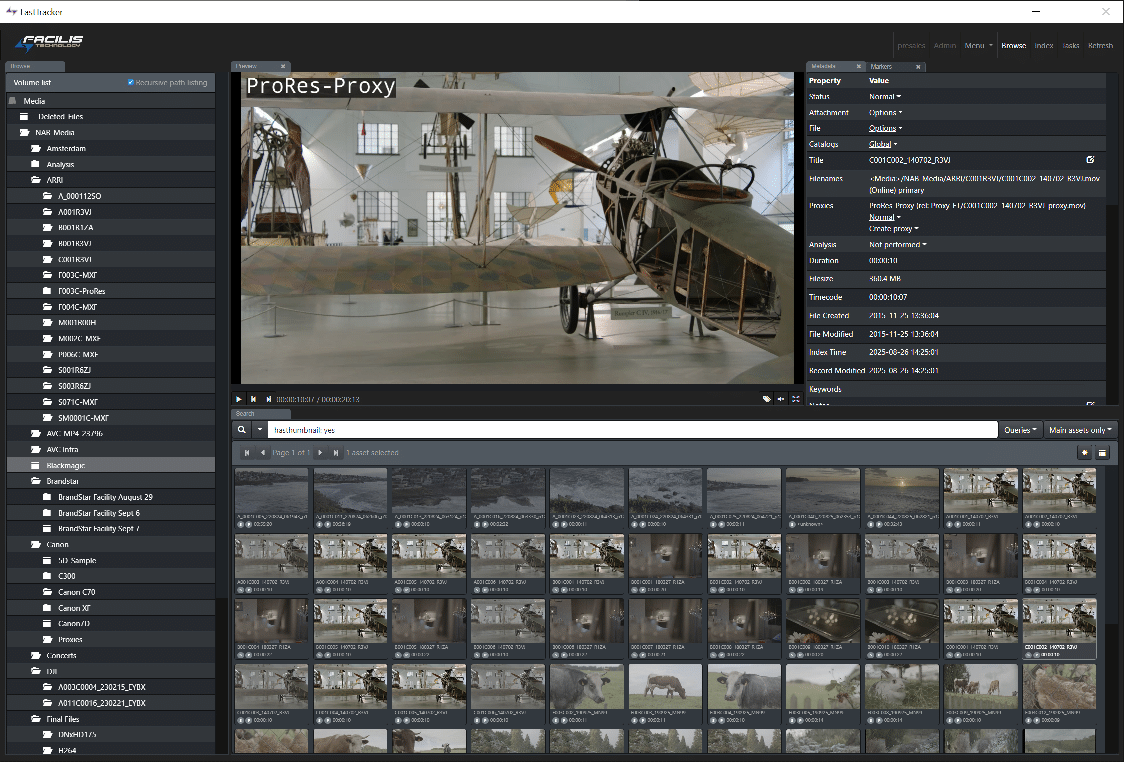
FastTracker Client Browse Mode
This architecture streamlines automated workflows to copy data and assign catalogs to records based on approval tags, file location, and age, among many other criteria. Version 3.8 also includes auto-tagging though Google AI, including advanced transcription services that opens up the transcription feature to hundreds of languages.
A new ingest workflow from FastTracker Client enables indexing of local files, copy to server locations and triggering processing all in one step. FastTracker will offer link to externally-created proxy files, and a new dropbox-style web link provides a simple interface for approval. Adobe integrations have improved, with gathering and indexing of Premiere Pro project sources, import of transcription data to Adobe Captions feature, and metadata sync with Adobe projects for searching Adobe metadata within FastTracker interface.
New features in Version 3.8 – 3.8.3
- Google Vertex AI Image Tagging and Transcription
- Metadata-based Catalog Assignments
- Metadata-based Proxy Generation
- Metadata-based File Move/Copy and Analysis
- Sub-clip Generation with in/out markers
- Resolve Workflow Integration
- BRAW and R3D Indexing and Proxy Generation
- Attach External Proxies to Indexed Camera Sources
- Background Process Monitoring and Management
- Index & Ingest Workflow from FastTracker Client
- Google Drive and Dropbox Archive Support
- Avid Op-atom Proxy Creation (DNxHD 1080/720)
- Attach Documents for Rights Management
- Web-based Approval Links

FastTracker Adobe Premiere Pro Panel with Auto Proxy Attach
FastTracker Workflow Tools

Proxy for Editorial
FastTracker Auto Proxy and Proxy on Demand offers an unlimited list of proxy formats and bitrates to find the exact fit for your offline workflow. Add filter rules to affect only the sources that require proxy, in a certain location, of a certain duration and extension. Proxy files can be created in a relative path next to the source, or in another location. Multiple proxies can be generated for every source, and displayed, linked and downloaded separate from the source. The standard H264 mp4 proxies are perfect for offline editing on remote workstations through VPN or WANLink. Avid Op-atom poxies are perfect for offloading 4K to HD proxy generation for Avid Media Composer.
Metadata-driven Catalogs
Catalogs are a powerful tool for securing content from certain users, and simplifying the search for records. Catalogs can be created for any reason, and assigned to one or more users. Metadata on the record will determine the catalog contents. For example, a catalog may contain items that reside in the project folder that are MXF format, over 5 seconds in duration, have a proxy, and don’t contain the “NG” value in the “Approval” tag.
When searching for the right files for your edit, using catalogs to narrow down the list saves a lot of time.


Powerful Search
Find what you’re looking for with the ability to specify every aspect of a record. When the record was indexed, it’s size and duration, any path (folder) names, tag data including transcription and AI tags, the type of storage where the primary file resides (Online, Archive, Offline Cache), and so many more.
Searches are blazing fast – millions of records can be processed in seconds. Files that are duplicates are listed together in the same record, so when you find the file you’re looking for, you find every location of that file. Search formatting is intuitive, ung spaces is allowed (spaces mean “AND”), and using parentheses to specify multiple possible tag values. If you can’t find the file you’re looking for with FastTracker, it doesn’t exist.
Remote Browser Access
Any desktop, with any browser, anywhere can use their FastTracker user account to log into the server and view records in their assigned catalogs. Browser clients can’t drag-and-drop assets or open players directly from the interface, but if given permission can play proxies in the viewer, download source and proxy, upload to the server, encode proxies and trigger analysis and file operations on demand. They can also add tags, notes and even assign records to catalogs if given the correct permissions. Browser access is included at no charge!

Local/Google Transcription/Tagging
FastTracker comes with a local transcription service that lives on-prem, to avoid uploading to the internet when that’s not advisable. Google AI can also be used to transcribe and tag through image recognition. The transcription and AI markers are timecode-based, and can be searched separately from other tags and metadata on the file to avoid unintentional results.
Once a file is found that contains the proper AI data, search within the record to find the exact frame where the object appears or word is said.
FastTracker Edge